Student Records Without Spreadsheets: A Teacher's One-App Class Register
Roster in one file, marks in another, share-of-material in a WhatsApp scroll. Here is how teachers replace the spreadsheet pile with one classroom that records itself.
By Veda Team
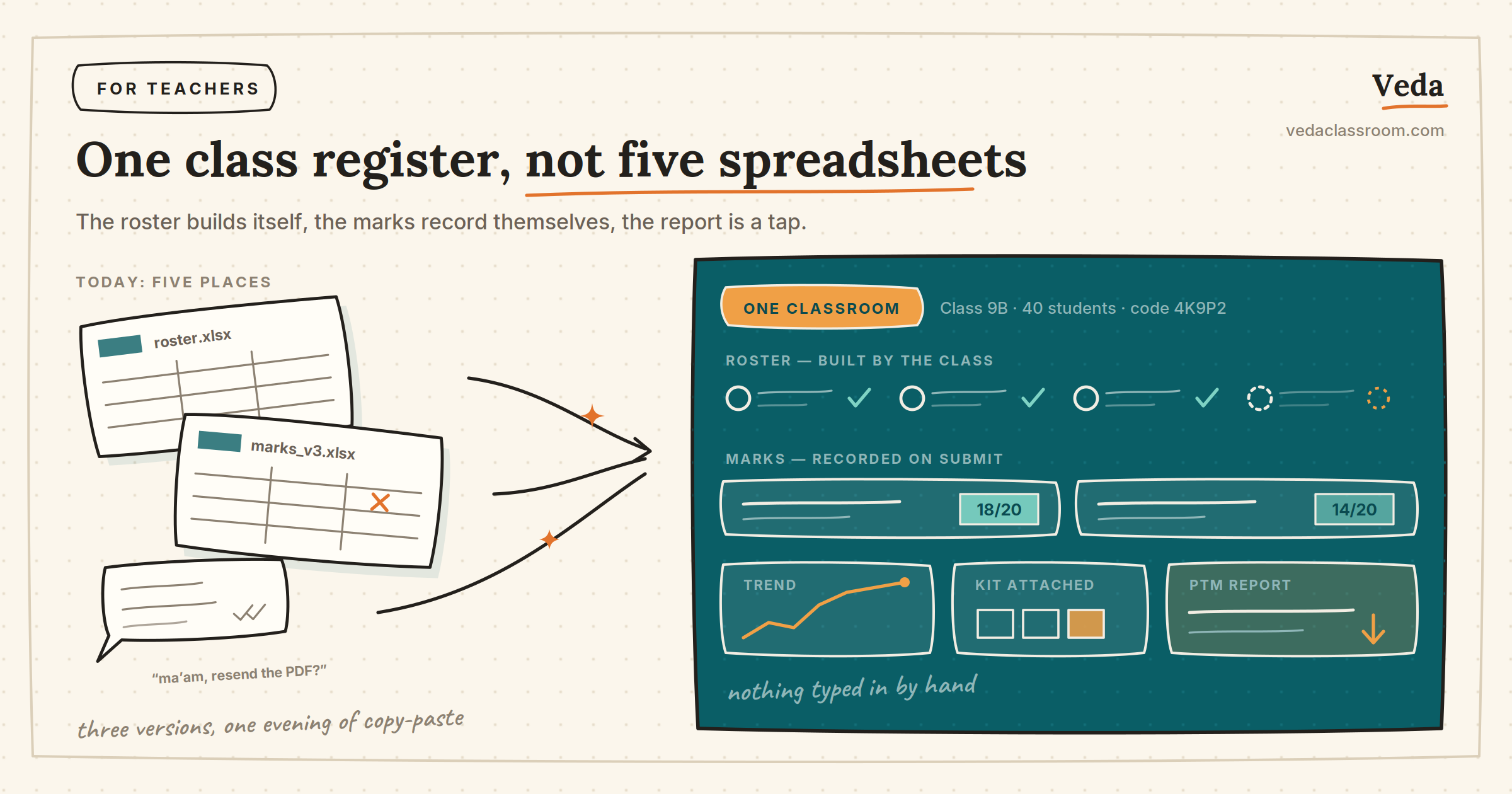
Ask a teacher where their class data lives and the answer is usually: everywhere. The roster is an Excel file. Test marks are in another Excel file — three versions of it. Study material is somewhere up the WhatsApp scroll. And the student report a parent asks for at PTM time? That's an evening of copy-paste.
The fix isn't a better spreadsheet. It's a classroom where the records write themselves.
The roster builds itself
Create your classroom in Veda and share the join code. Students join from their own phones and identify themselves — no typing sixty names, no collecting phone numbers. Your class list exists the moment your class joins.
Marks record themselves
This is the real spreadsheet-killer. Every quiz or test you create and assign is checked automatically, and every score lands in the student's record the moment they submit. You never enter a mark by hand, so there is nothing to mistype, lose, or reconcile across file versions.
Reports are a tap, not an evening
Because the data was captured at the source, the questions parents and principals ask are already answered: how is this student trending, who hasn't attempted the last three tests, which topic did the whole class struggle with. At PTM time you open the student's view and talk over real numbers.
Material lives where the class lives
Assign the chapter kit once and it stays attached to your classroom — notes, flashcards, practice questions and the test in one place. "Ma'am, can you resend the PDF?" retires permanently.
What stays free
Classrooms, joining, assigning and results are free — this is the part of teaching software that should never have been behind an enterprise sales call. If a spreadsheet has been your class register until now, moving one class over takes an afternoon.
Get Veda free on Google Play → — or see the full teacher workflow here.