Student Progress Reports That Build Themselves
Report card makers hand you a blank template. AI tools write nice remarks from a prompt. Neither knows how your student actually did — because neither holds the marks.
By Veda Founder
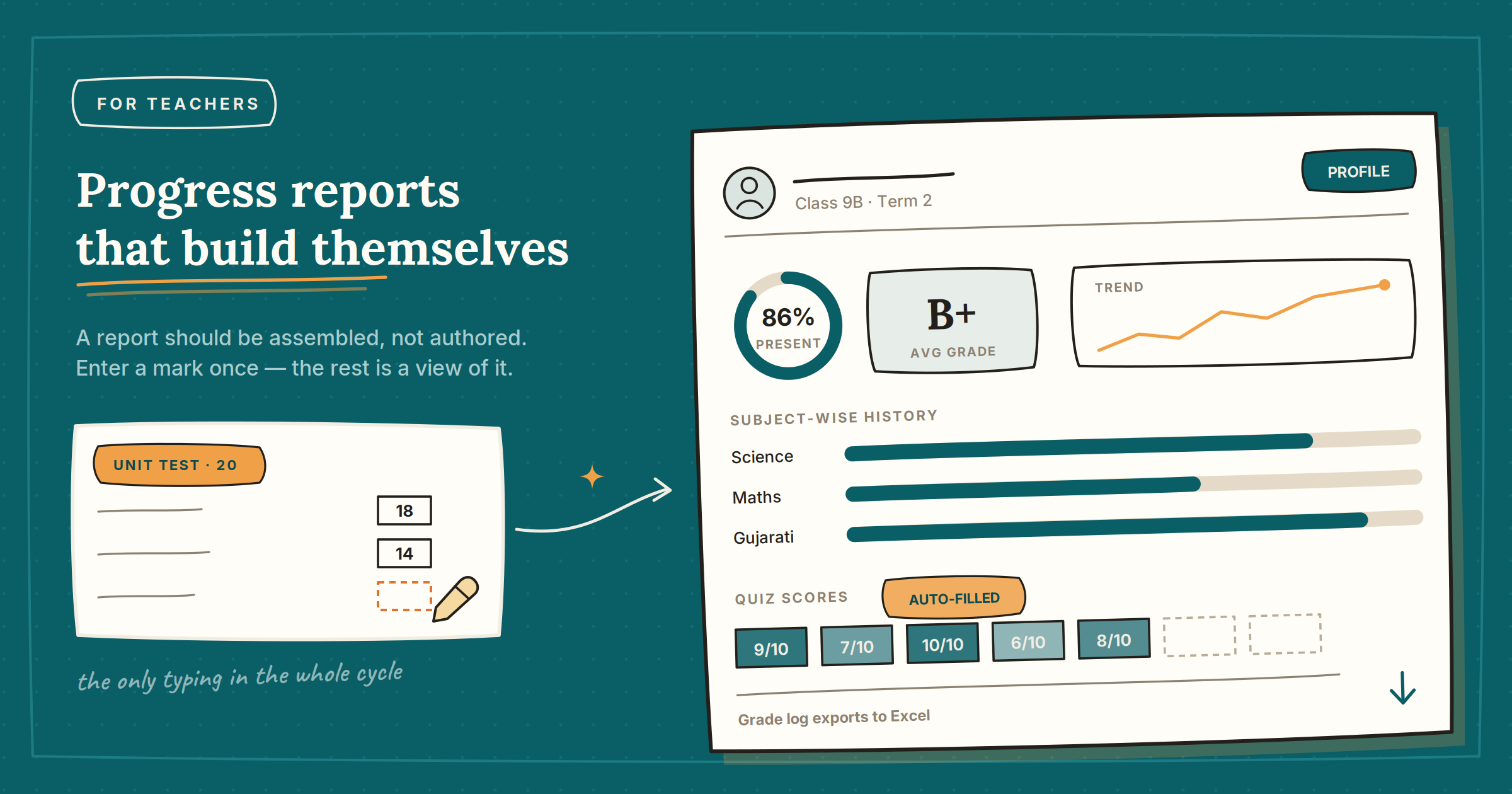
Search for a student report tool and you get two kinds of answer. Design tools hand you a beautiful blank template to type marks into. AI tools write a warm paragraph about a student they have never met. Both leave the actual work — gathering the marks — exactly where it was: with you, in a spreadsheet, at 11pm before the parents meeting.
A report should be assembled, not authored. If the marks, the quiz scores and the attendance already live somewhere, the report is a view of that data — not a document you rebuild every term.
Enter a mark once. That is the whole data entry.
- Create the assessment A unit test, an oral, a practical — for a subject or a batch.
- Enter the marks Once, down the list. This is the only typing in the entire cycle.
- Open any report Grade logs, class summaries and per-student profiles are already built from what you entered.
The quizzes fill themselves in
This is the part that compounds. Any quiz or test you create and assign in the app is checked automatically — and the score lands in that student's record with no entry at all. Run a weekly quiz and by term end you have a dozen data points per student that cost you nothing to collect.
What a student profile actually shows
Attendance and grades sitting on the same card matters more than it sounds. The student whose marks dropped this term usually has an attendance pattern behind it, and seeing both at once turns "he is not doing well" into a conversation with evidence.
Open the student's profile on your phone and talk from it. No printing, no preparation the night before — and if the parent wants a copy, the grade log exports to Excel.
Class summaries, not just individuals
The per-class view answers the question you actually teach from: which assessment did the whole batch struggle with? That question, answered honestly, is next week's revision plan — chosen by the data rather than by whichever chapter feels shakiest.
Recording assessments, grade logs, class summaries and student profiles are free for teachers. The free plan covers 2 classes, 3 subjects and 20 students per class; bulk importing an existing student list from Excel is a paid feature.
Record the next test you set. That single entry gives you a grade log, a class summary and a line on every student's profile — and shows you what the reports look like before you commit to anything.
Get Veda free on Google Play → · How the report generator works