
AI MCQ Practice for Students: Level by Level, With the Why
Type a topic or add your chapter, and Veda's AI writes MCQs in three levels. Every answer shows why it is right, and the ones you miss come back first.
By Prof. Rahul R. Keshwala, Founder
To practise MCQs with AI in Veda, open AI Studio, choose MCQ Practice, and type a topic or add your chapter as a file, a photo or a link. Veda's AI writes a set of questions in three levels, Beginner, Intermediate and Advanced. You answer one question at a time, and the moment you pick an option you see whether it was right and why. The questions you have not answered come first, then the ones you got wrong, and only then the ones you already know.
I have set and checked MCQ papers for a long time, and the pattern in students is always the same. They do a page of MCQs, tick the answers from the back of the book, count the score and move on. The score tells them almost nothing. The useful part is the one wrong answer they did not stop to understand. We built MCQ Practice around that wrong answer.
- You see a score
- The wrong answer stays a mystery
- Next time, the whole page again
- You see why, straight away
- Learn more for a longer answer
- Your misses come back first
How to start a practice set
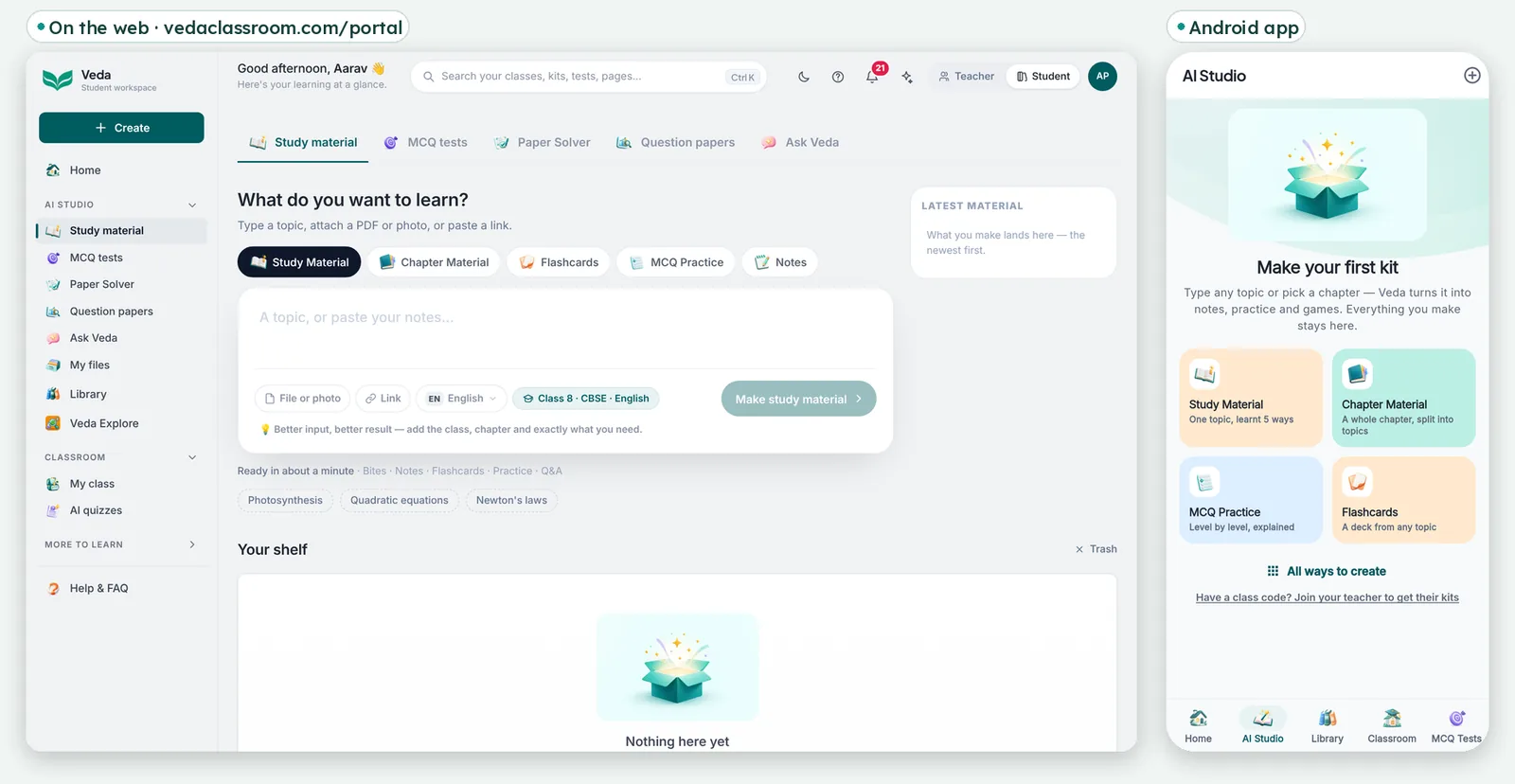
- Open AI Studio. In the Android app it is in the student home; on the web, sign in at vedaclassroom.com/portal and open AI Studio. It is the same account in both places.
- Choose MCQ Practice. The screen tells you what you get: three levels, explanations, and the option to add more questions later.
- Give it something to work from. Type a topic such as "Acids and bases", paste your own notes, attach a PDF or a photo of the textbook page, or paste a link to a YouTube video or a web page.
- Check the class and language. Your class, board and medium show as a chip, for example "Class 8 · CBSE · English", and the questions follow it. Pick another language if you study in Spanish, Arabic, Hindi or one of the more than 40 others.
- Start practising. The questions usually arrive in about 20 seconds.
What happens when you answer
- Pickan option, by tap or key 1 to 4
- Check"Correct!" or "Not quite", with the right letter
- Whya short reason written for that question
- Learn morea longer explanation, if you need it
This is where Veda's AI does the job a patient tutor would do: it explains the reasoning, not just the answer key, including the part the textbook skipped over. On a computer you can also answer with the keys 1 to 4 or A to D and press Enter for the next question, which makes a set of twenty go quickly.
Three levels, one after the other
- Beginnerthe basics, answered carefully
- Intermediateapplying the idea to new cases
- Advancedthe questions that need real thinking
Each level has a progress bar and a target on screen; clear it and you get a tick.
Start at Beginner even if you think you know the topic. In our experience most mistakes in exams are not in the hard questions. They are in the easy ones answered too fast.
Your mistakes come back
- Newnot tried yet, first
- Missedthe ones you got wrong
- Knownalready right, last
- Againa second pass, mostly your misses
So a second pass is not a repeat of the whole set; it is mostly the questions that tripped you.
There is also a Review my mistakes view. It lists every question you got wrong in that topic with the right answer and the explanation. Read it the night before a test. It is the shortest useful revision you can do.
When you run out of questions at a level, you can ask for more at that level. The AI writes a fresh batch for the same topic.
MCQ Practice inside a full study kit
If you make Study Material or Chapter Material instead, the same practice sits in the Practice tab of each topic, next to short and long answer questions. Each topic also has a Test tab, where you can turn its practice questions into a scored test. That is described in our post on making a timed MCQ test with AI.
What it can't do, and what to check
- AI makes mistakes sometimes. Now and then a question is unclear, or the marked answer is arguable. If an answer disagrees with your textbook or your teacher, trust them, and use the report button so we can fix the question.
- A photo is only as good as its light. A blurred or cut-off page gives the AI less to work from, and the questions get vaguer. Photograph the page flat.
- MCQs are not the whole exam. Most exams also ask short and long answers. Use MCQ Practice to find gaps, then write answers by hand.
- It uses AI credits. Making a set, Learn more and extra questions use credits. The free plan includes credits every month, so you can start without paying.
- Web and app stay in step. The same account works in the Android app and on the web, and your progress on the levels shows on both. There is no iPhone app at the moment; on an iPhone, use the web.
Ready-made NCERT practice
If you follow NCERT, chapter pages in the NCERT library already have MCQs with each topic, for Classes 5 to 10. The first and middle chapters of a subject are free to read there; a Subject Pack opens the rest. For anything else, such as your coaching notes, a chapter from another board, a college lecture, or a topic from a YouTube lesson, make your own set in AI Studio. You can get the Android app here.
Questions students ask
Does every answer have an explanation?
Each question comes with a short explanation that shows after you answer, and Learn more gives a longer one. Read it even when you got the answer right; sometimes you were right for the wrong reason.
Can I practise in my own language?
Yes. Choose the language before you start, from more than 40, such as English, Hindi, Gujarati, Spanish, French or Arabic. Technical terms stay the way your textbook writes them.
Is it only for school students, or one board?
No. You set your class or course, board and medium, and the questions follow it, whether you are in a school, a college, a coaching class or studying on your own. You can also work from your own chapter PDF or lecture notes, which is the safest way to match your syllabus exactly.
Is it free?
It is free to start. Practice sets are made with AI credits, and the free plan includes a monthly allowance.