
AI Flashcard Maker for Any Chapter, With Spaced Revision
Type a topic, or add a chapter, a photo or a link, and Veda's AI writes a flashcard deck. Then Due today brings back each card just before you would forget it.
By Prof. Rahul R. Keshwala, Founder
To make flashcards with AI in Veda, open AI Studio, choose Flashcards, and type a topic or add your chapter as a PDF, a photo or a link. The deck is usually ready in about 20 seconds, typically 12 to 16 cards, and you can add more later. Then revise it two ways: go through the Whole deck, or open Due today, where each card you rate Forgot, Unsure or Knew it is scheduled to come back at the right time. Cards you forgot return within minutes; cards you know well come back days later.
Most students already believe in flashcards. The problem is the two hours it takes to write forty of them, and the fact that after writing them, nobody tells you which ones to look at tomorrow. We wanted both parts handled: the writing done in the time it takes to make tea, and the "what should I revise today" question answered for you.
Making a deck, step by step
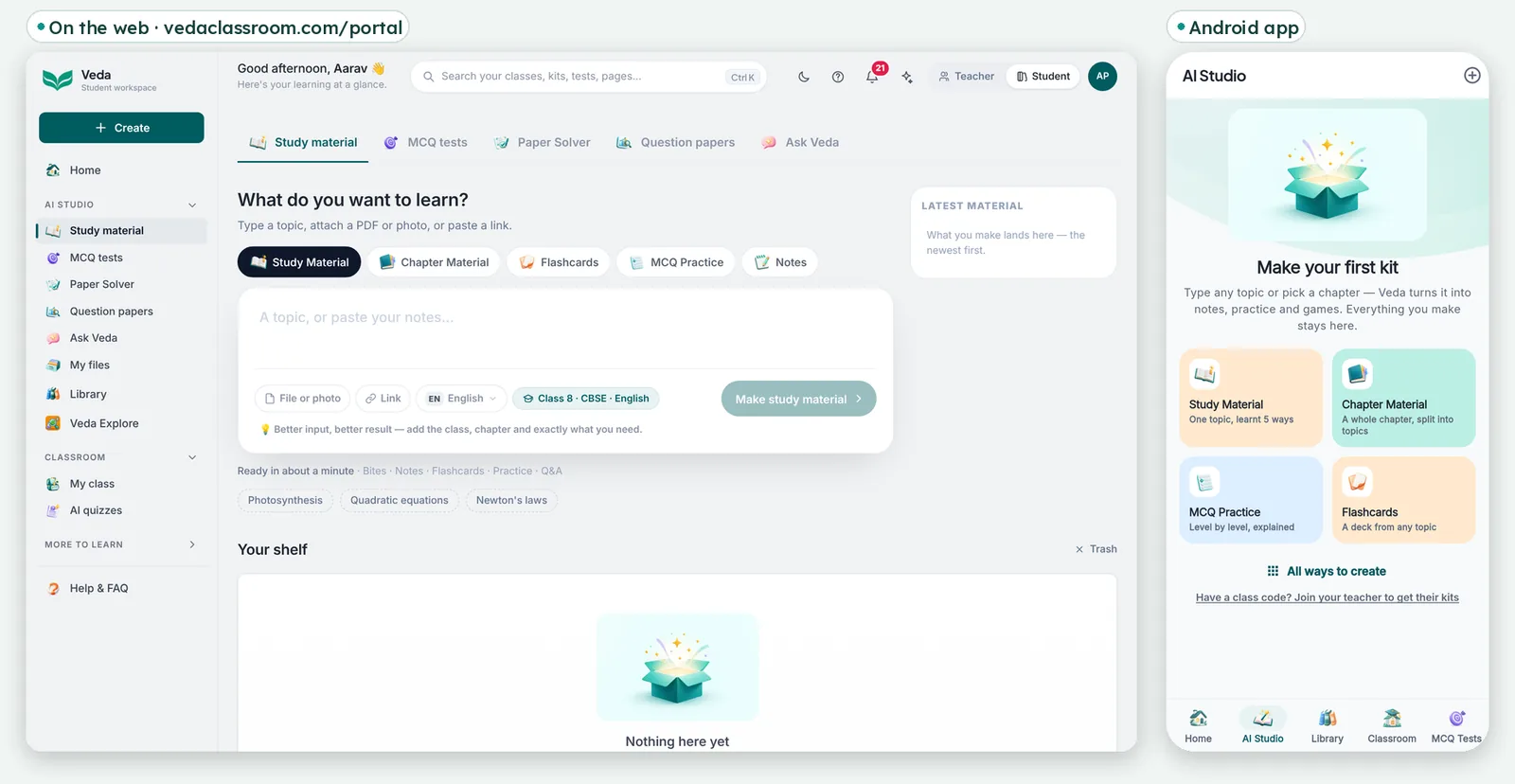
- Open AI Studio in the Android app, or on the web at vedaclassroom.com/portal.
- Choose Flashcards.
- Tell it what the cards are about. A typed topic, your notes, a file, a photo or a link all work (see the cards below).
- Check the class and language. The deck follows your class, board and medium, and can be written in any of more than 40 languages.
- Make the flashcards. When the deck opens, read through it once before you start testing yourself.
- ⌨️ A topic"Parts of a cell" or "French Revolution"
- 📝 Your notespasted in, or a photo of them
- 📄 A filePDF, Word, PowerPoint or text
- 📷 A photoof the textbook page
- ▶️ A linka YouTube lesson or a web page
A typed topic gives you a general deck. Your chapter, read by Veda's AI and cut into question-and-answer cards, gives you a deck that matches what your teacher will actually ask. When it matters, attach the chapter.
Two ways to revise the deck
Whole deck: the first pass
You see the question, think of the answer, then flip the card. Say honestly whether you knew it: I knew it or Still learning. At the end of the pass you see how many you knew, and you can review only the missed cards straight away. There is a Shuffle button for when you have started to remember the order instead of the answers. On a computer, Space flips the card and the arrow keys answer.
Due today: spaced revision
This is the part that saves the most time over a term. Each card you review here gets a rating, and the rating decides when it comes back:
- Forgotstarts again; back within a few minutes
- Unsuremoves forward, but not as far
- Knew itpushed further out each time you get it right
So every day, Due today shows only the cards that are due, and the deck shows how many are mastered and how many you are still learning. When nothing is due, it says so. You do not have to decide what to revise; you only have to open it.
Your ratings are saved to your account, so the same schedule follows you from the Android app to the web and back.
What makes a good card, and what does not
- Definitions and vocabulary
- Formulas and what each symbol means
- Dates, reactions and their conditions
- The parts of a diagram
- Long answers
- Anything you must explain in writing
Long answers need to be written. If the AI gives you a card whose answer runs to five lines, treat it as a reading note, not a card.
When you want more than flashcards
If you choose Study Material instead of Flashcards, the same topic also gets notes, Bites, practice questions and games, and some of the games, such as Match Pairs and Flashcard Battle, are built from the topic's flashcards. For working from a chapter PDF in a language other than English, we wrote a separate post on flashcards from a PDF in your own language. You can also start from the flashcard maker page.
What it can't do, and what to check
- Check the cards against your book. The AI writes them and it does get things wrong sometimes, especially from a blurred photo. If a card disagrees with your textbook or teacher, go with them, and report the card.
- Be honest with the buttons. The schedule only works if Knew it means you knew it. Pressing it to finish faster just moves the card out of sight.
- Recognising is not recalling. Say or write the answer before you flip. Nodding at the answer side is not revision.
- It uses AI credits. Making a deck, and adding more cards, uses credits. The free plan includes some every month. Reviewing cards you already have uses none.
- No iPhone app. Use the Android app, or the web on any phone or computer.
Questions students ask
Can I make flashcards from a photo of my notes?
Yes. Attach a clear photo, taken flat and in good light. Neat handwriting works best.
What is spaced repetition?
It means seeing a card again just before you would forget it, with the gaps getting longer each time you remember. In Veda that is the Due today mode.
Can I add more cards to a deck?
Yes, you can ask for more cards later on the same topic.
Is it free?
It is free to start: the free plan includes AI credits every month. Get the Android app here.