
Veda Bites: Bite-Sized Lessons Written by AI From Your Chapter
Bites are short cards, one idea each: a key idea, an example, a common mistake, an exam tip. Veda's AI writes them from your topic, and you read them in a minute or two.
By Miss Shanti Divaraniya, Co-founder
Veda Bites are short cards that each carry one idea from a topic: a key idea, an example, a definition, a common mistake, an exam tip or a memory trick. When you make Study Material or Chapter Material in AI Studio, Veda's AI writes the Bites for each topic from your own material, along with the notes and flashcards. You read them one at a time, swiping on your phone or clicking through on the web, and a whole topic takes a few minutes.
I started using the word "bite" with my own students long before we built the app. A chapter is a meal. Nobody eats a meal in one mouthful, and nobody remembers a chapter from one long reading. Bites are the chapter cut into pieces small enough to swallow on a bus ride or in the five minutes before a class.
What a Bite looks like
Each Bite is a card with a label that tells you what kind of idea it is. The ones you will see most:
- 💡 Key Ideathe one sentence you must remember
- 🌍 Examplethe idea in a real case
- 📖 Definitionthe term the way the exam wants it
- ⚠️ Common Mistakewhere students usually go wrong
- 🎯 Exam Tiphow the idea tends to be asked
- 🧠 Memory Tricka short way to hold on to it
Formula, Compare, How It Works, Did You Know? and In the Real World appear where the topic needs them.
The labels matter. When you are short of time before a test, read only the Common Mistake and Exam Tip Bites. On the web you can filter the Bites by type to do exactly that.
How to get Bites for your chapter
- Open AI Studio in the Android app or on the web at vedaclassroom.com/portal.
- Choose Study Material for one topic or Chapter Material for a whole chapter.
- Add your material. Type the topic, paste notes, attach a chapter PDF or a photo of the textbook, or paste a YouTube or web link. Pick the language; Bites are written in it, across more than 40 languages.
- Open the topic. In the app the topic opens on Bites. On the web, Bites sit in the Revise tab, next to Flashcards and Games, and the Learn tab has a shortcut to them.
Bites are usually among the first parts of a topic to be ready, so you can start reading while the rest is still being written.
Reading them on the phone and on the web
In the Android app
Bites play as a swipe deck, one card at a time, like stories. Each card has a button to read it aloud, which helps when you are revising with your eyes tired. At the end of the deck, the app suggests what to do next with that topic, such as practice or flashcards, from whatever the topic actually has. The student home also has a Daily Bites strip, so a few minutes of reading is one tap away.
On the web
Bites show as a grid, so you can see the whole topic at once, or as "One at a time" when you want to read them properly. The Bites page lists every kit that has Bites, and you can filter it into Mine, From my teacher and Shared with me. Reading to the last Bite counts towards your progress for that topic, on both screens, because it is one account.
Ready-made Bites for NCERT chapters
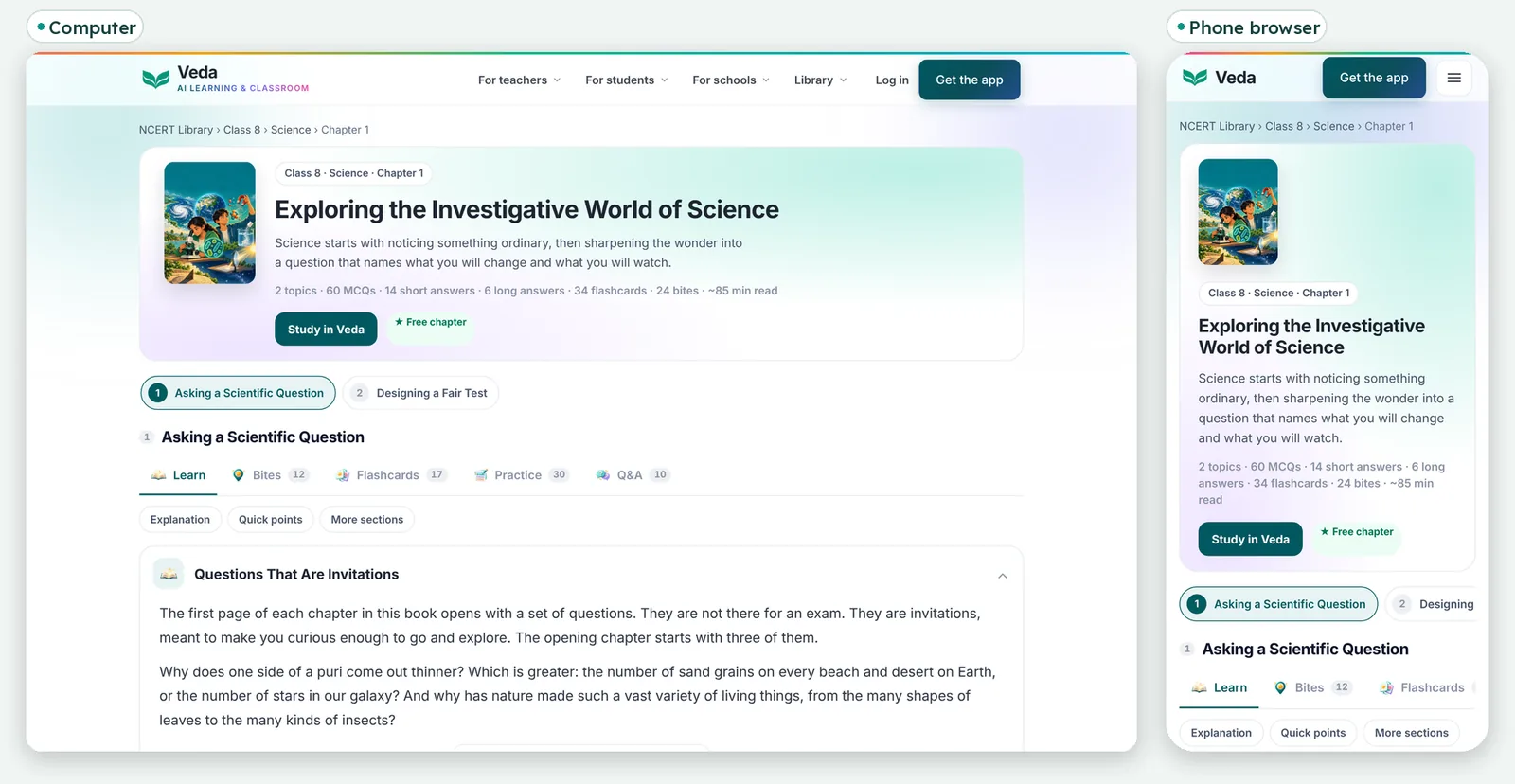
If you study from NCERT, you may not need to make anything. Chapter pages in the NCERT library for Classes 5 to 10 already have Bites for each topic, alongside notes, flashcards, MCQs and questions and answers. The first and middle chapters of a subject are free to read; a Subject Pack opens the rest. For other boards, college lectures, coaching notes or your teacher's handout, make your own in AI Studio.
A five-minute routine that works
- Before classRead the topic's Bites once; you follow the teacher better
- After classRead the notes in the Learn tab properly
- Next daySwipe through the Bites again on the bus or at lunch
- Night before the testFilter to Common Mistake and Exam Tip only
What it can't do, and what to check
- A Bite is short on purpose. It is a reminder, not the full explanation. If a Bite does not make sense, read that part of the notes or the textbook.
- The AI makes mistakes sometimes. If a Bite says something your textbook or teacher says differently, go with them, and use the report option so we can correct it.
- Your source decides the quality. A clear chapter PDF gives better Bites than a blurred photo or a one-word topic.
- Making study material uses AI credits. The free plan includes credits every month. Reading Bites you already have, or ones your teacher assigned, uses none.
- Android and web only. There is no iPhone app; on an iPhone, read Bites on the web.
Questions students ask
Are Bites the same as flashcards?
No. Use Bites first, flashcards after.
- Tells you one idea
- Teaches
- Asks a question, hides the answer
- Tests
Can my teacher send us Bites?
Yes. When a teacher assigns study material to your class, its Bites show under From my teacher.
Do I need the app?
No, the web works too. The app adds the swipe deck, read aloud and the Daily Bites strip on the home screen. Get the Android app here.