
Differentiated Instruction With AI: Teaching a Mixed-Ability Class
One class, many starting points. A step-by-step way to find out who needs what, give practice at the right level, group students flexibly, and use results to see who needs help next.
By Miss Shanti Divaraniya, Co-founder
Differentiated instruction means teaching one class while accepting that its students start from different places: you keep the same goal for everyone and change the route, the support and the pace. In practice it comes down to four repeated moves: find out where each student is, give practice at the right level, group students flexibly, and look at the results to decide who needs help next. Veda makes each move lighter. The AI drafts practice in levels from your own chapter, groups take a minute to set up, and quiz results show you, question by question, where the class stands.
Every class I have taught has had the student who finished in five minutes and the student who had not started in fifteen. Teaching to the middle loses both. The hard part of differentiating was never the idea. It was the preparation: three versions of everything, every week.
What differentiation is, and what it isn't
The educator most linked with the idea, Carol Ann Tomlinson, describes teachers adjusting the content (what students learn and how they get access to it), the process (how they make sense of it) and the product (how they show what they learnt), according to each student's readiness, interests and way of learning.
- One goal, different routes
- Groups that change every week
- Decisions based on recent evidence
- Easier goals for some students
- A fixed "slow" and "fast" label
- A separate lesson plan per child
The second column matters. A student who struggled with fractions in June may be fine with algebra in July. Groups should follow the evidence, not a reputation.
The four moves, step by step
- Find outa short check before or after teaching
- Practise by leveleach student where they are
- Groupfor support or for stretch
- Reviewresults decide the next groups
1. Find out where each student is
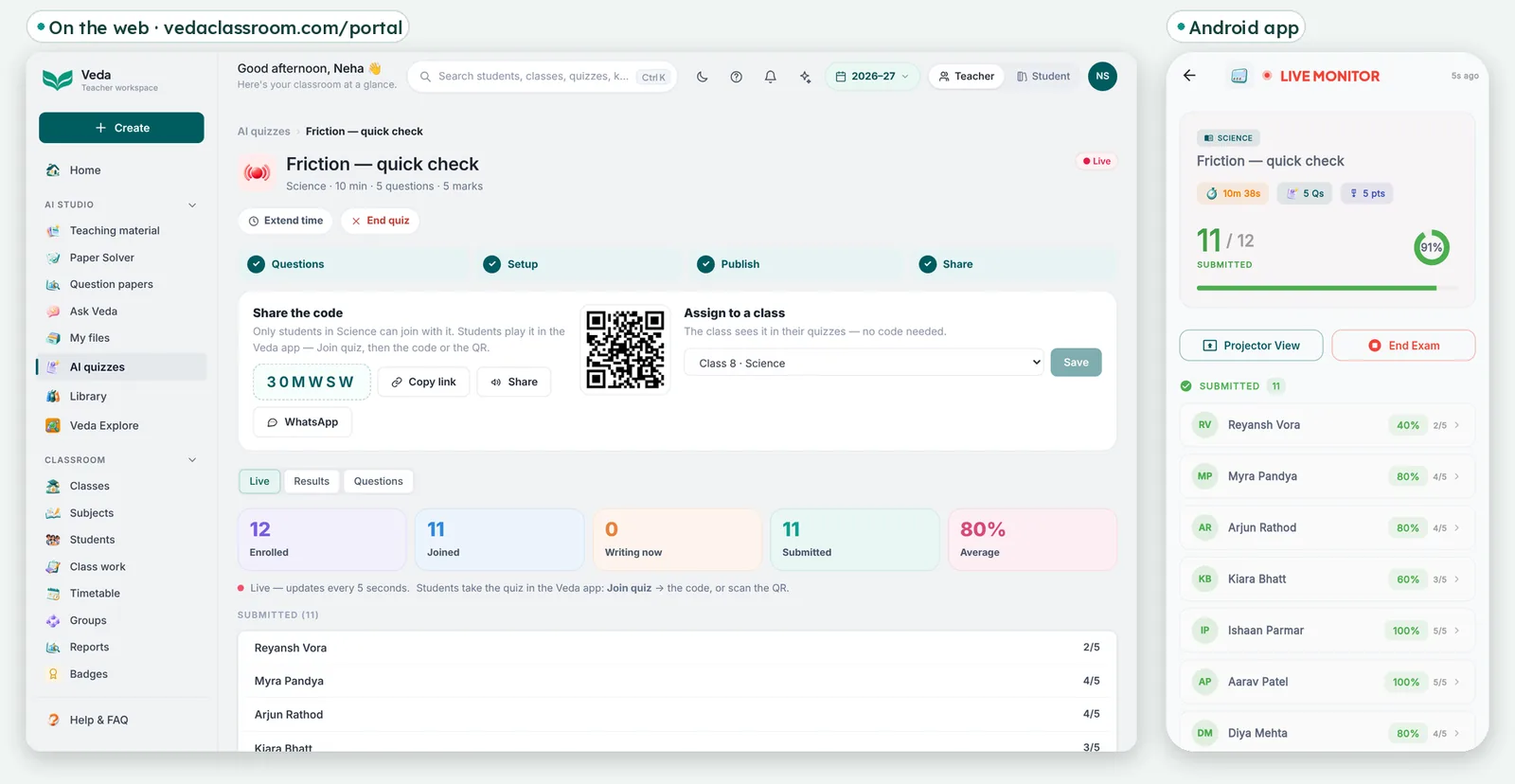
Start with a short check: eight to ten questions on the ideas the new topic needs. In Veda, make an AI quiz from the topic, your notes, a PDF or the previous chapter, with Mixed difficulty so the questions spread from easy to hard. You check every question before it goes out. Students play it in the Veda app on Android.
The results show more than scores. For each question you see what share of the class got it right and the most common wrong answer. A question most students missed is a whole-class reteach. A question only a few missed points to a small group.
2. Give practice at the right level
Make Study Material or MCQ Practice for the topic in AI Studio, from your own chapter. Practice comes in three levels, Beginner, Intermediate and Advanced, with an explanation after every answer and a progress bar for each level. The same kit then serves the whole class:
- Needs supportLearn tab first, then Beginner practice
- On trackIntermediate practice, then flashcards
- Ready for moreAdvanced practice and long answers
Tell each group where to begin rather than locking anyone out. Students who start at Beginner and do well can move up the same day. Practice also brings back the questions a student got wrong, so the gaps get attention without you tracking each one.
3. Group flexibly
Veda has groups: a list of students you pick from any of your classes, with its own attendance, marks and reports. Make one called "Fractions support, this week" from the quiz results. Then:
- Give a kit to just that group with Give to a class, choosing the group, with dates if you want it open for the week.
- Make a second kit from simpler material, such as your own worked examples, for the group that needs it, or from a harder reading for the group that wants a stretch.
- Change the language if a student reads better in another one. Kits can be made in more than 40 languages.
Delete or rename the group when it has done its job. The point is that it is temporary.
4. Review results to see who needs help next
- Quiz resultseach question's right rate, the common wrong answer
- How it is goingwho opened, started and finished a kit
- How it landedper topic: read, practised, passed the quiz
- Quiz reportevery student against every quiz in a subject
- Student profileattendance and marks together
Look at these once a week. Who moved up? Who did not open the kit at all? Absence and low practice often explain a low score better than ability does, and the student profile shows attendance next to marks.
For tests: same standard, fairer conditions
When you need a written test, Question papers can make extra sets of the same paper and add a second language under every question, which helps a student who learns in one language but is strongest in another. Keep the standard the same for everyone; change the support, not the goal.
What it can't do, and what to check
- Numbers are not a diagnosis. A low score tells you where to look, not why. Talk to the student.
- The AI makes mistakes. Check practice questions before a struggling group sees them; a wrong key hurts them most.
- Avoid fixed labels. Name groups after the skill and the week, not the students.
- Quizzes need Android. Class quizzes are played in the Android app; kits also open on the web.
- Credits. Kits, practice and AI quizzes use credits; the free plan includes a monthly allowance. Groups, attendance, marks and reports are free on every plan.
It all works with the same account in the Android app and on the web at vedaclassroom.com/portal. For the weekly rhythm around this, see a teacher's week with AI.
Questions teachers ask
Will students know which group they are in?
They see the kits given to them. How you name and explain groups is up to you.
Does this work in a large class?
Yes, and that is where it helps most: you cannot watch forty students practise, but you can read one results page.
Can a student move between levels?
Yes. Students pick the level in Practice, and each level shows its own progress.