
An AI Teaching Assistant for College Lecturers: Slides to Exams
Turn your lecture slides and notes into study material, weekly quizzes and a semester exam paper with its answer key, for any university course, and keep attendance and marks in the same place.
By Prof. Rahul R. Keshwala, Founder
If you lecture at a college or university, Veda can work like a teaching assistant who has read your slides. Upload a lecture deck or your notes, and the AI turns them into study material for students, a short quiz for the next class, and, when the semester ends, a question paper with its answer key and marking scheme under your university's header. You still check everything, set the standard and decide what goes on the exam. Attendance and marks for the course sit in the same place, and those are free.
I teach at college level, and my slides were always the most complete record of a course. They were also the least useful thing I could give a student to revise from. A deck of bullet points is a lecture's skeleton. This is how we turn it into something a student can actually study with.
- Study materialnotes, cards and practice per topic
- A quick quizfor the start of next class
- An exam paperwith answer key and marking scheme
- Model answersfor a past paper, by marks
Step 1: Set up the course
Create a class the way your department names it, for example "B.Sc Sem 3" or "MBA Year 1", and add the course as a subject with its code, such as CS101. Students join with the class code, a QR code on your first slide, or a link in the course group. You can also import a roster from Excel. Attendance per lecture (P, A, L or E), marks per assessment and a teaching journal are free on every plan.
Step 2: Slides and notes into study material
In AI Studio, choose Chapter Material for a whole unit, which the AI splits into topics, or Study Material for a single topic. Attach what you already have:
- SlidesPowerPoint or a PDF export
- NotesWord, PDF or pasted text
- A board photoor a handwritten page
- A recorded lecturea YouTube link
- A readinga web page you assign
Each topic opens in four tabs. Learn holds the notes written out in full sentences, which is what bullet-point slides lack. Practice has MCQs at Beginner, Intermediate and Advanced levels with explanations, plus short and long answer questions. Revise has flashcards, games and Bites. Test builds a timed test from the topic's questions.
Choose the language before you make it; more than 40 are available, which helps in courses taught in one language to students who think in another.
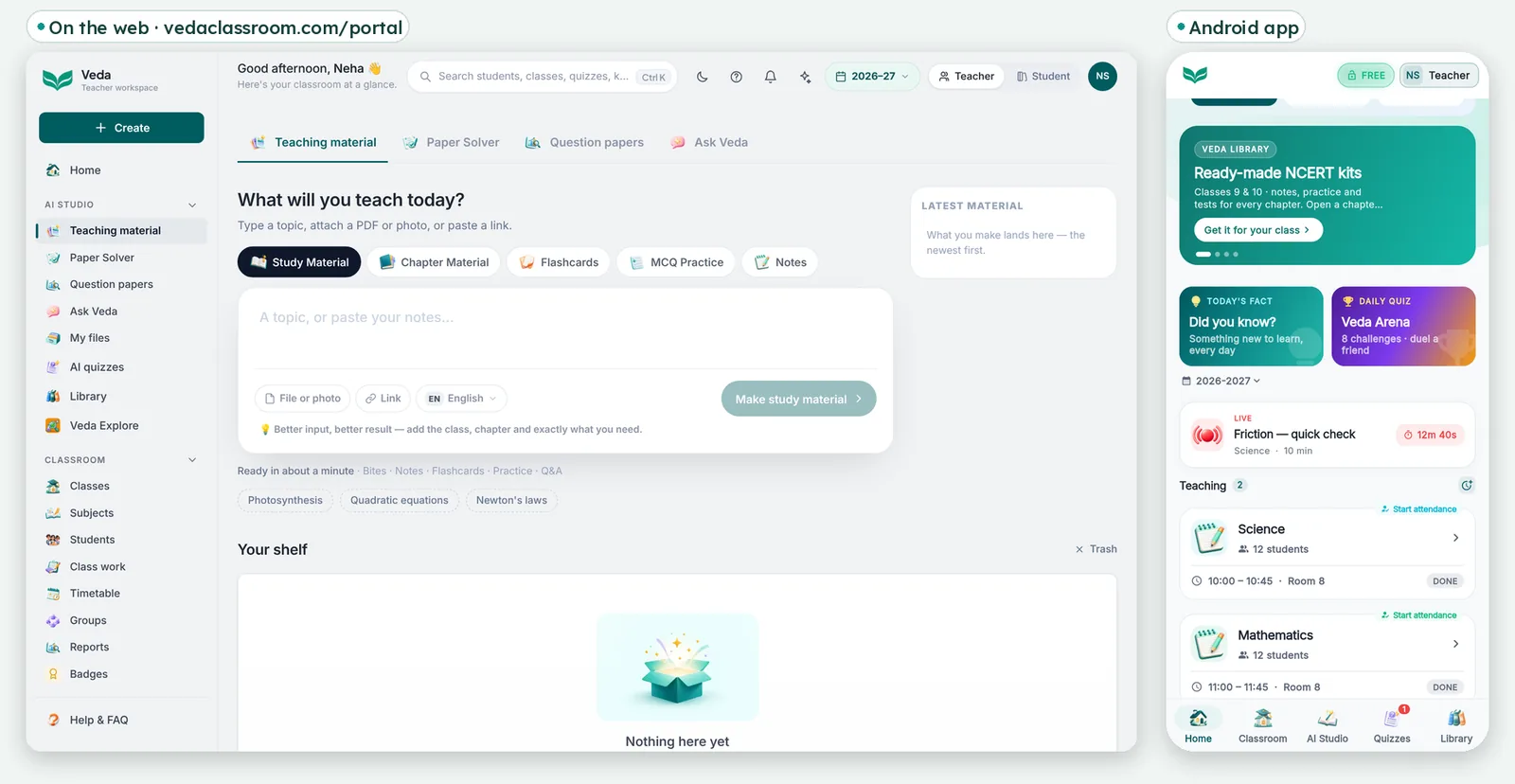
Read it, correct what needs correcting, then Give to a class, with dates if you want it open for one week of the course. "How it is going" shows how many students opened, started and finished it.
Step 3: A five-minute quiz at the start of the next lecture
A short quiz on last week's lecture tells you, before you build on it, whether the foundation is there. It also gives students a reason to look at their notes between lectures.
- Sourcethe same deck, or the kit you made
- Set upnumber, difficulty, marks, time allowed
- Checkyou review every question
- Runcode or QR on the projector
Students play the quiz in the Veda app on Android while the live monitor shows who has joined and submitted, and a projector view puts it on the screen. Afterwards, the question-by-question view shows what share of the class got each one right and the most common wrong answer. In a large lecture hall, that is a quick way to hear from students who would never raise a hand.
Step 4: The semester exam paper
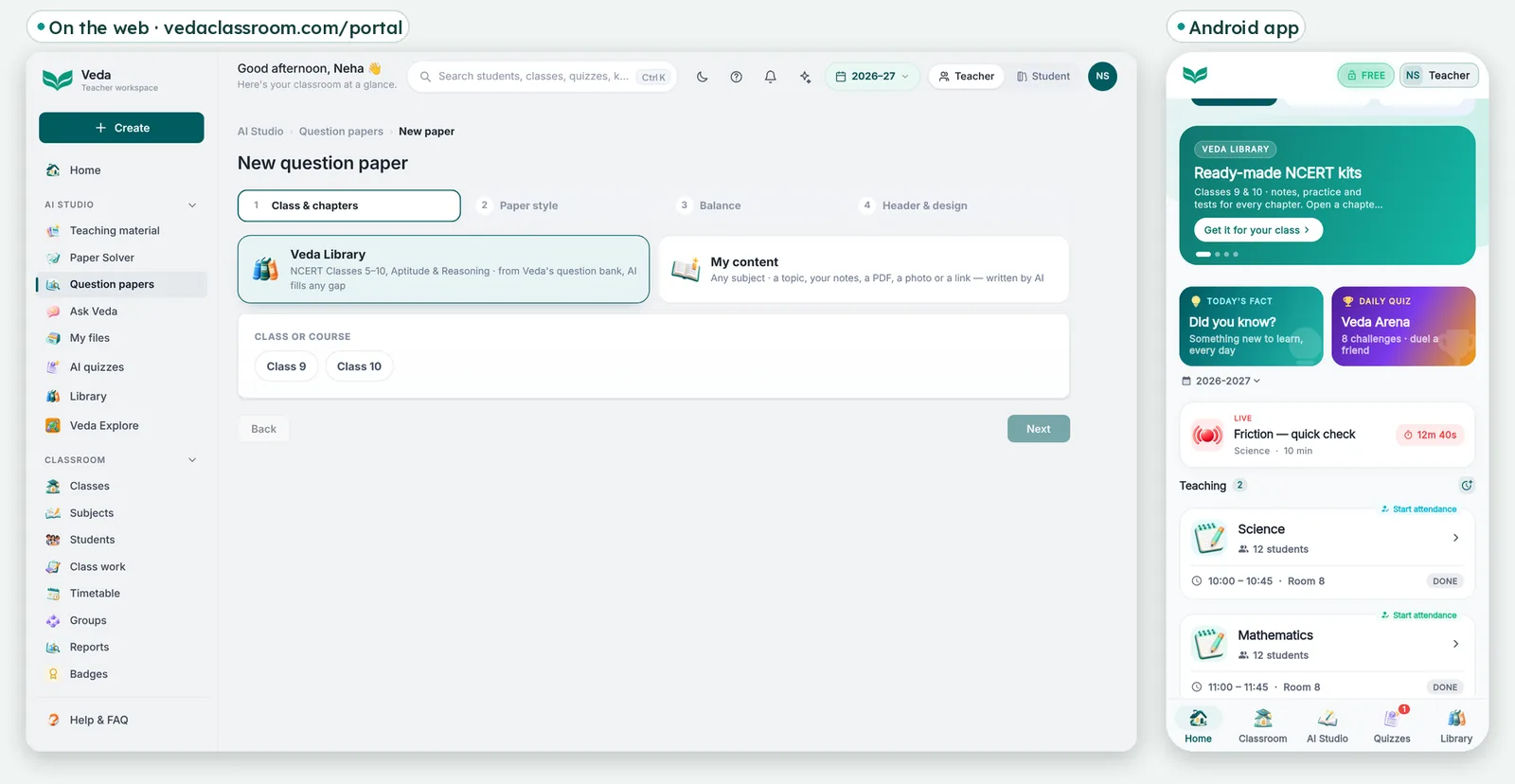
Open Question papers and choose My content. Give it your topic list, your notes or the unit PDFs. The wizard goes Class and chapters, Paper style, Balance, then Header and design.
- Questions across your units
- Answer key and marking scheme
- Extra sets of the same paper
- What the exam should test
- Which questions stay or are swapped
- Final wording and marks
Paper styles include an MCQ test, short answers, long answers with OR choices, case studies and a custom pattern you build section by section. Balance sets the mix of easy, medium and hard. The header has College and University options, so it shows the department, programme and semester, and an Enrolment No. line. You can edit, swap, lock or reorder any question, add a second language under every question, and download the paper, answer key, marking scheme or OMR sheet as PDF or Word.
For past papers, Paper Solver writes answers by marks from a question paper you attach, which is useful for model answers in a revision session. Check them before you publish them.
What it can't do, and what to check
- Specialist content needs a specialist. The AI handles standard course material well and can be wrong on advanced, recent or contested points. Every question and every line of notes is a draft until you have read it.
- It knows only what you give it. A thin deck gives thin material. Attach the notes behind the slides where you can.
- Use material you have the right to use. Your own slides and notes are the best source, and they keep the course in your voice.
- Quizzes run on Android. Students need the Android app for class quizzes; study material also opens on the web.
- Credits. Study material, AI quizzes, question papers and Paper Solver use credits; the free plan includes a monthly allowance. Course setup, attendance, marks and reports are free.
The same account works in the Android app and on the web at vedaclassroom.com/portal, so you can build the paper at your desk and take attendance on your phone in the hall.
Questions lecturers ask
Can it handle my subject?
From your own content it works for any subject you give it material for. The more specialised the course, the more carefully you should check.
Can I export marks for the department?
Yes. Marks, the attendance register and the attendance summary download as Excel, and a marks sheet can be printed.
Will students see the answer key?
No. The answer key and marking scheme are separate downloads for you.