Turn Handwritten Notes into a Complete Study Kit
Photograph the page you wrote in class and get bites, flashcards, practice questions and games built from YOUR notes — not someone else's syllabus.
By Veda Team
The best study material you own is the notebook you filled in class — it's already in your words, your teacher's emphasis, your syllabus. The problem is what it isn't: it isn't flashcards, it isn't practice questions, and it isn't going to quiz you the night before the exam.
Here's how one photo fixes that.
Step 1: Photograph the page
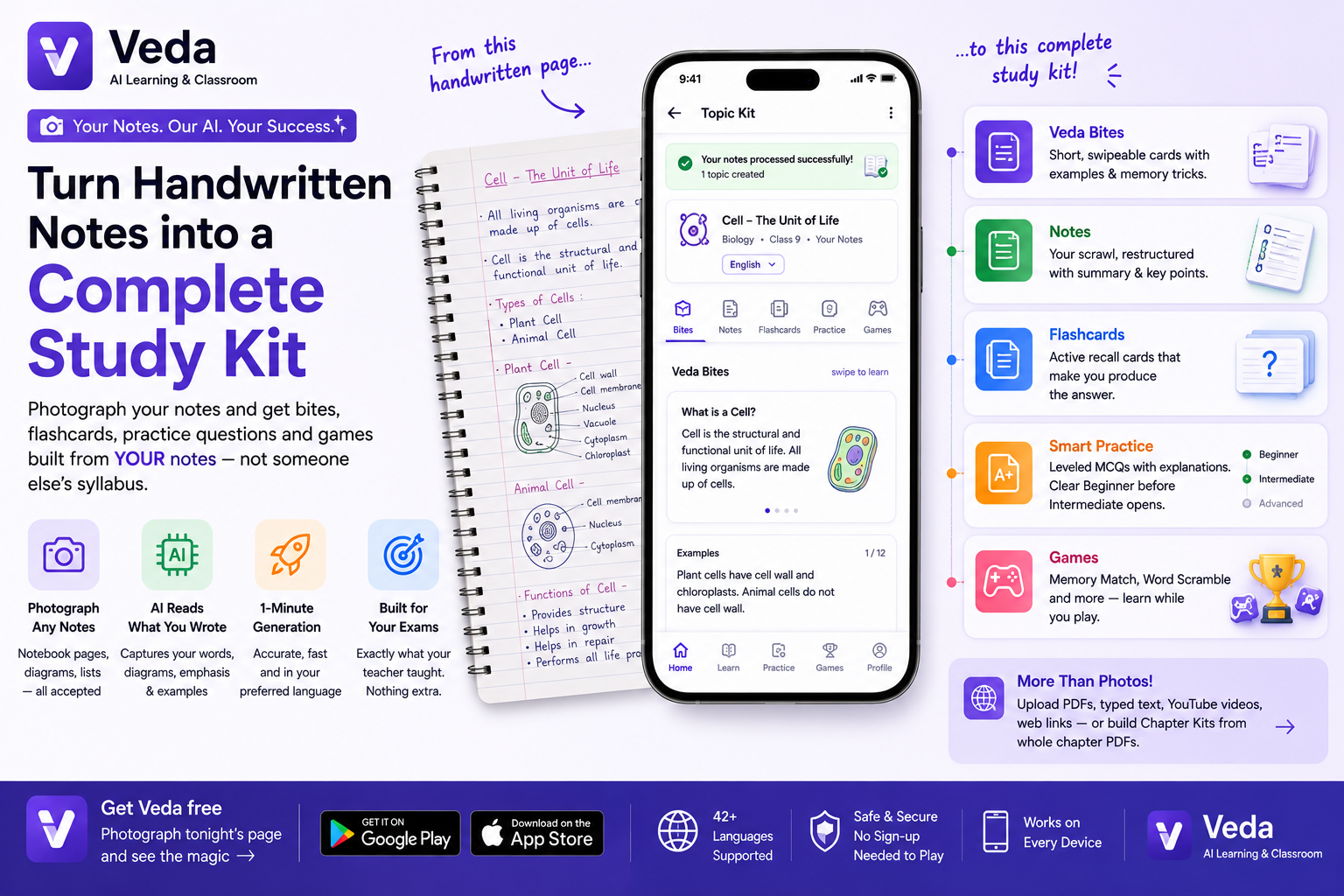
Open Veda, tap Topic Kit on the create box, and attach a photo of your notebook page — straight from the camera is fine. Messy margins, two-colour pens, arrows everywhere: Veda reads through all of it. You can attach up to three photos if the topic runs across pages.
Step 2: One minute of generation
Veda extracts what your notes actually say — not a generic internet version of the topic — and builds the kit from it. If your notes are in Hindi or Gujarati, it detects that and asks before generating.
Step 3: One topic, five ways to learn it
- Veda Bites — short swipeable cards for the bus ride, with examples and memory tricks.
- Notes — your scrawl, restructured with a summary and key points.
- Flashcards — active-recall cards that make you produce the answer.
- Smart Practice — leveled MCQs: clear Beginner before Intermediate opens, with an explanation for every answer.
- Games — Memory Match, Word Scramble and more, built from the same material.
Why "from your notes" matters
Generic study apps quiz you on their version of the chapter — including things your teacher skipped and missing the things your teacher stressed. A kit built from your own notebook drills exactly what your exam will draw from. That's the whole difference.
Works with more than photos
The same create box takes PDFs, typed text, YouTube videos and web links — and a whole chapter PDF gets split into topic-wise kits automatically.