
AI Question Paper Generator for Teachers: The Full How-To
Pick chapters from Veda's question bank or give it your own notes, PDF or link. Choose a pattern, set the difficulty and header, then make sets, add a second language and download the paper, answer key and OMR sheet.
By Prof. Rahul R. Keshwala, Founder
To make a question paper in Veda, open Question papers in AI Studio and press New question paper. A four-step wizard follows: Class & chapters, Paper style, Balance, and Header & design. Questions come either from Veda's NCERT question bank or from your own content, written by AI from your topic, notes, PDF, photo or link. You get an A4 paper you can change question by question, and you download the paper, the answer key, the answers with marking scheme and an OMR sheet as PDF or Word. Bilingual papers and Sets B to D are a button away. It works the same for a school unit test, a college semester exam or a coaching mock, in any of more than 40 languages.
We wrote earlier about when a question bank beats your own notes, and the other way round. This post is the practical half: every step of making the paper, in the order you will meet it.
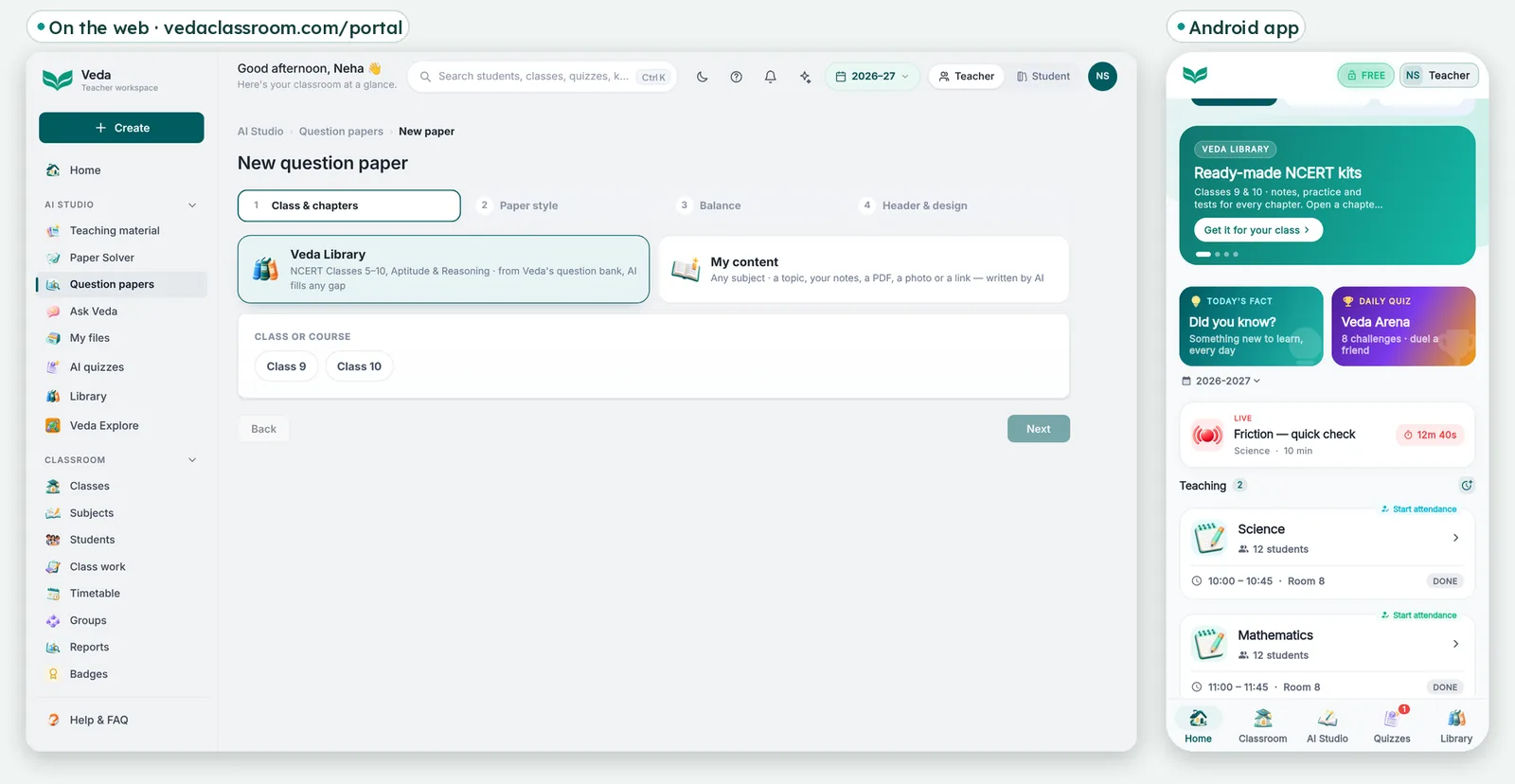
- Class & chaptersthe bank, or your own content
- Paper stylea pattern of sections and marks
- Balancehow hard the paper is
- Header & designyour institution's header, 10 designs
Step 1: Class and chapters (or your own content)
First choose where the questions come from.
- NCERT Classes 5 to 10, Aptitude & Reasoning
- Questions from Veda's bank
- The AI fills any gap
- Any subject, any level, any course
- Your topic, notes, file, photo or link
- The AI writes questions, answers and marking
In the Library, pick the class, subject and chapters; the screen shows how many of each question type the bank holds. In My content you can paste up to 60,000 characters or upload a PDF, Word or PowerPoint file or a photo of the pages (up to 10 MB), then add the subject to print, the class or level, and the language.
Step 2: Paper style
For NCERT papers there are ready patterns: CBSE board pattern (80 marks, 3 hours, 39 questions, following the 2025-26 pattern), Half-yearly (80 marks), Chapter test (40 marks), Unit test (25 marks), Objective only (50 marks, OMR-friendly), and Custom. For your own content there are others, such as an MCQ test, a theory paper, case studies or one-mark revision. If your board, university or institute sets papers differently, start from the closest one and change it.
Every pattern opens as a table of sections you can change: question type (MCQ, assertion-reason, very short, short, case-based, long answer), how many, marks each, and how many come with an OR. Add a section if you need one. The total marks and question count update as you go.
Step 3: Balance
Choose how hard the paper is: Easy, Balanced, Board level or Challenging. Each is a mix of easy, medium and hard questions. Board level is the usual mix for a final exam; Easy suits a first test after a new chapter.
Step 4: Header and design
Pick the kind of institution (school, college, university, institute or coaching) so the header uses the right words, such as Class or Batch, Roll No. or Enrolment No. Then fill in the name, exam, subject, subject code, class, date and time, either as a duration or "from 11:30 AM to 12:30 PM". You can add a logo, a watermark, a roll number box, a student name line and extra instructions. There are 10 designs, and each preview shows your real header and first questions.
Make the paper yours
Veda's AI drafts the paper; you make the final call. Every question has its own buttons:
- 🔄 Swapone of three other bank questions, same type and marks
- ✨ AIa new question, with a note like "make it harder"
- ✏️ Editquestion, options, answer, marking scheme or marks
- 🔒 Lockkeep it when you press Remake
- ↕️ Movereorder within a section
- 🗑️ Deletetake a question out
Swap works on bank papers.
Sets, a second language, and the downloads
Make sets adds Sets B, C and D, so students sitting side by side get different papers. Choose different questions (same pattern and chapters, other questions from the bank) or the same questions shuffled, with questions and MCQ options in a different order.
Bilingual prints every question, option and sub-part in a second language right under the first, the way many boards print papers in English and Hindi. The second language can be any of the 40-plus Veda supports, such as French, Arabic or Gujarati. Maths, code and formulas stay as they are. If you edit or swap a question later, translate again so the new one gets its second line too.
Download / Print gives the question paper, the answer key, and the answers with marking scheme, each as a one-click PDF, as Word (.docx) to edit further, or straight to the printer. The OMR answer sheet, numbered to match the paper's objective questions, comes as PDF or print.
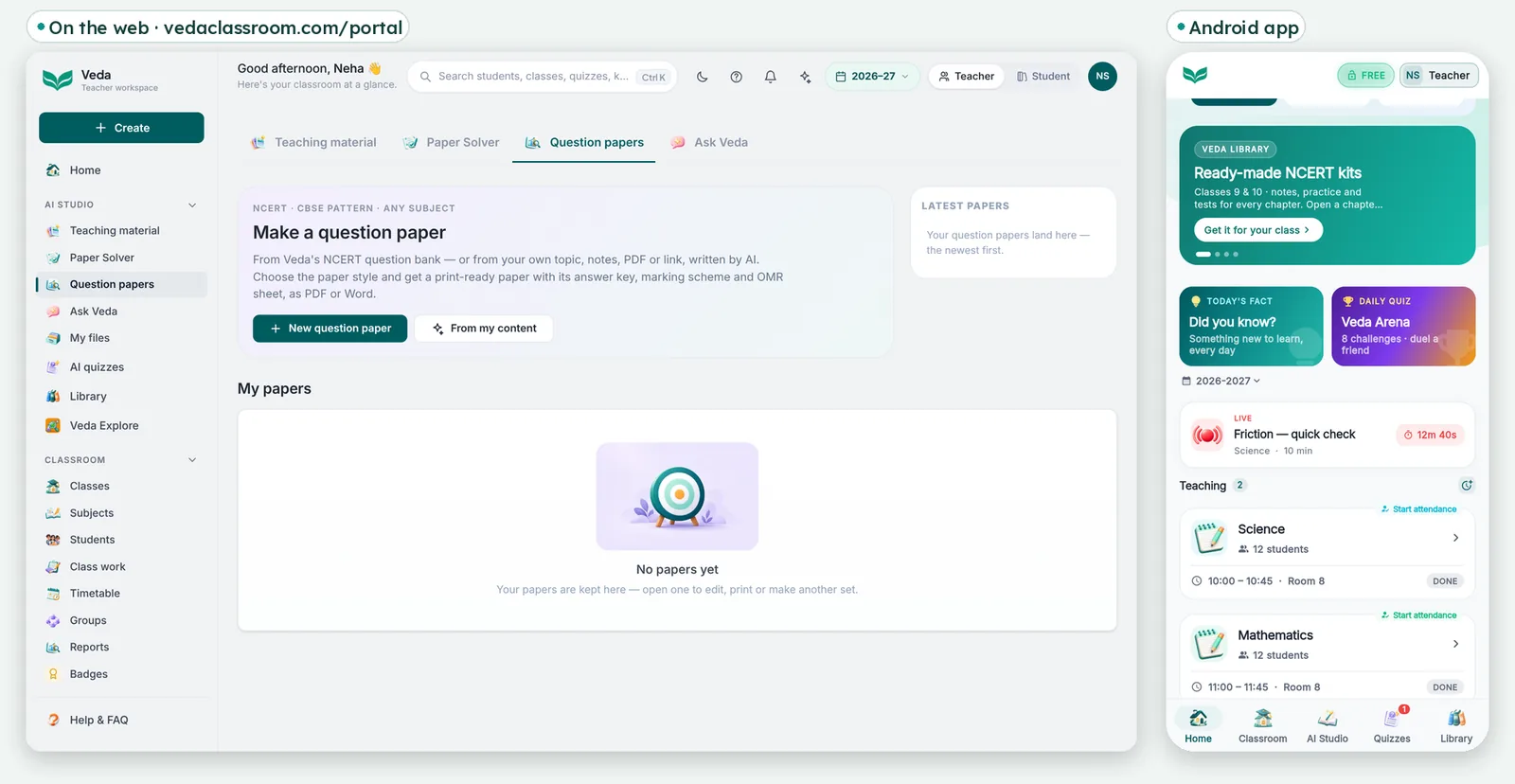
Papers are saved under My papers, on the web at vedaclassroom.com/portal and in the Android app with the same account. For the checking, the computer is easier: 39 questions read better on a big screen.
What it can't do, and what to check
- Read every question before you print. AI-written questions can be wrong, ambiguous or off the syllabus now and then, and translations can miss a word. You are the examiner; the paper is a draft until you have read it.
- Check the answer key too. It is the part students will argue about. Fix any answer with Edit before you print.
- The bank covers NCERT Classes 5 to 10. For Classes 11 and 12, other boards or college subjects, use My content.
- It uses AI credits. A paper picked from the bank uses fewer credits than one written by AI from your content; filling gaps, rewriting a question and adding a second language use some too. The free plan includes a monthly allowance.
For a quick check that marks itself, a class quiz may suit better than a paper; see the AI quiz generator. More on papers is on the question paper generator page.
Questions teachers ask
Can it follow my board's or university's pattern?
Yes. Start from the closest preset and change the sections: question types, how many, marks and OR choices. For CBSE there is a ready preset that follows the 2025-26 pattern: 80 marks, 3 hours, 39 questions in five sections.
Can I make a paper in two languages?
Yes. Use Bilingual to print a second language under every question, for example English with Hindi, Spanish or Arabic. You can also write the whole paper in one language from your own content.
Can I get the paper in Word?
Yes. The paper, answer key and marking scheme download as .docx, as well as PDF. The OMR sheet comes as PDF.